Edit a Lit component.
Keep the page.
Lit DevTools patches your components in place when you save. The count, the half-typed input, the open menu and the scroll position all stay where they were. One line in your Vite config.
npm i -D @oddsquad/lit-devtools Vite 7 and 8
 Lit 3
Lit 3
 Astro
Astro Vite DevTools
 Chrome and Firefox
- MCP
Stylesheets
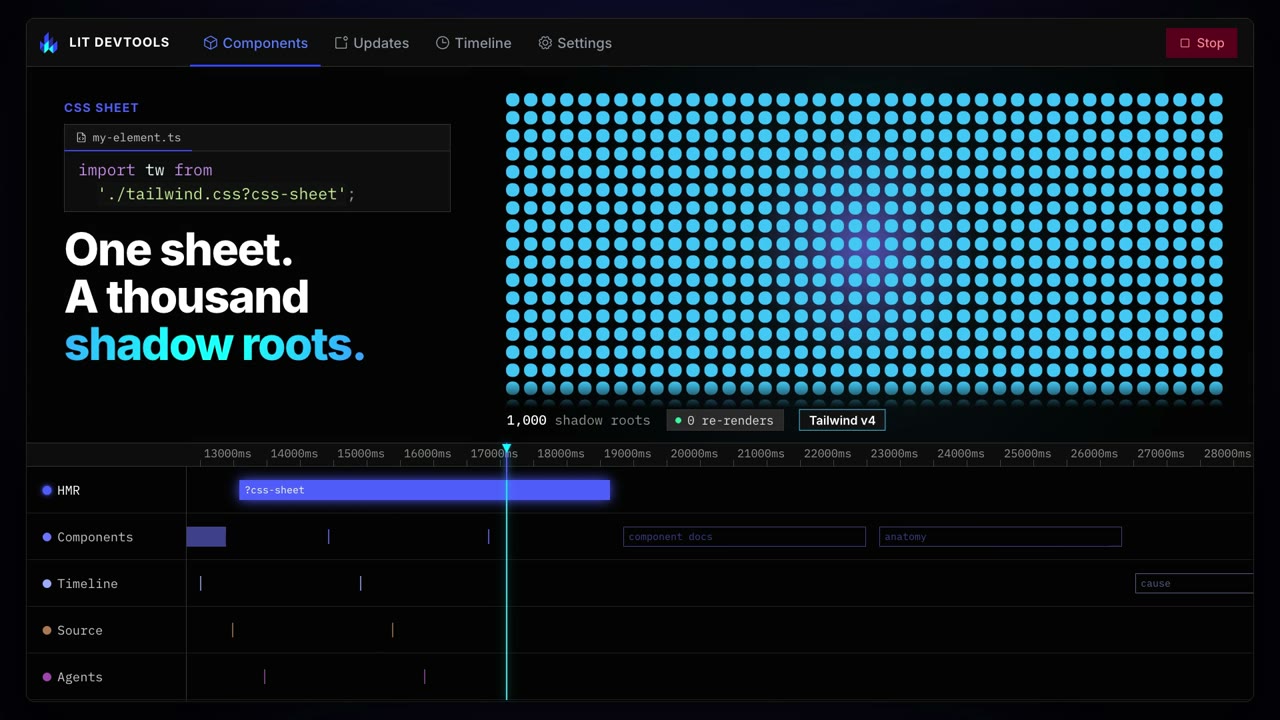
One sheet.
A thousand shadow roots.
Import a CSS file with ?css-sheet and every component that imports it adopts the same CSSStyleSheet. Save the file and the plugin swaps that sheet's text: every shadow root restyles in place, nothing re-renders, and the page keeps its state. Without it, saving the CSS reloads the page.
import sheet from './theme.css?css-sheet';
static styles = [sheet];replaceSync() on the shared sheet, as the dev server does on save; the counts and the restyle time are measured on this page.DevTools
See why it re-rendered.
A Lit panel inside Vite DevTools: the live component tree with properties you can edit, every update with its cause and its cost, and a timeline of the whole session.
Live: the panel inspecting the cart above it, with an item selected: its docs, read from the cart's custom-elements.json, and its properties. Press + on an item, or change its qty or price here, and the total follows.
A recorded session: each component with its update count and timings. hmr-properties is open, with the property that changed in each of its updates.
The same session on one time axis, a lane per layer, zoomed to its busiest stretch. A route change is selected; click any mark for its details.
Component docs
Every component explains itself.
Select an element and the panel shows what its author wrote: a summary, what each property is for, the events it fires, its slots, parts and CSS custom properties.
Your own components need nothing: their JSDoc is read from source as you edit. A library's Custom Elements Manifest is found through its package, and Lit Inspector reads the ones a site links. Your coding agent asks for the same docs over MCP.
See it above: the cart-item selected in the panel shows the docs from the cart's custom-elements.json.
- Your componentssrc/user-card.ts
/**
 * A user's avatar and name.
 * @fires select - The card was chosen.
 * @slot - Extra details under the name.
 * @csspart avatar - The image.
 */
Read from source while you edit. No manifest needed.
- Librariesnode_modules/…/package.json
"customElements": "custom-elements.json"Found through each dependency. Web Awesome comes documented.
- Any siteindex.html
<link rel="custom-elements-manifest"
      href="/custom-elements.json">
Lit Inspector reads the manifests a page links.
- Components tab
- Lit Inspector
- Your coding agent
 Lit Inspector
No Vite? Inspect any Lit site.
The same panel as a browser extension, for production builds and sites you don't serve. In Chrome it also adds a Lit tab to the Elements panel, beside Styles and Computed, that follows whatever you select there.
Everything else you'd want.
See each one running in the feature tour
Click to open the source
Point at any element on the page and jump to the file and line that renders it, in the editor you use.
A timeline of every update
Record a session and read each render, property change and patch on one time axis, with what triggered it.
Answers for your coding agent
The component tree and the timeline as MCP tools, so an agent reads the running page instead of guessing.
Signals, context, tasks
The Lit ecosystem libraries keep working across a hot patch, with the shape that works spelled out for each.
Server rendering and Astro
Hot patches on hydrated components with @lit-labs/ssr, and an Astro integration that runs the panel in its toolbar.
Nothing in your production build
Patching, the indicator and the panel are dev-server only. The build ships your components and nothing of ours.
Set up in a minute.
- 1
Install
npm i -D @oddsquad/lit-devtools - 2
Add one line
// vite.config.ts import {litPlugin} from '@oddsquad/lit-devtools/vite'; export default defineConfig({ plugins: [litPlugin()], }); - 3
Save a component
The indicator in the corner pulses, the page stays put, and your state is still there.
Follow the tutorial
Or skip the steps
Let your coding agent set it up
Copy the prompt into Claude Code, Cursor or Codex. It installs the plugin, edits your Vite config and tsconfig, and checks the indicator shows.
Take the tour.